
Hello authors,
This article will help walk you through embedding your artist partner’s art into your fanfiction and how to add your fanfiction to the Zootopia Minibang Challenge 2026 Collection on Ao3.
Please read the following information to help you embed your artist partner’s art into your fanfiction on Archive of our Own (Ao3). The art can appear at the beginning or end of the fic. It’s up to you. Regardless of where you place the art, you must credit your artist partner in your author’s notes.
Step 1: Make sure your artist partner has hosted their art onto their preferred image hosting site.
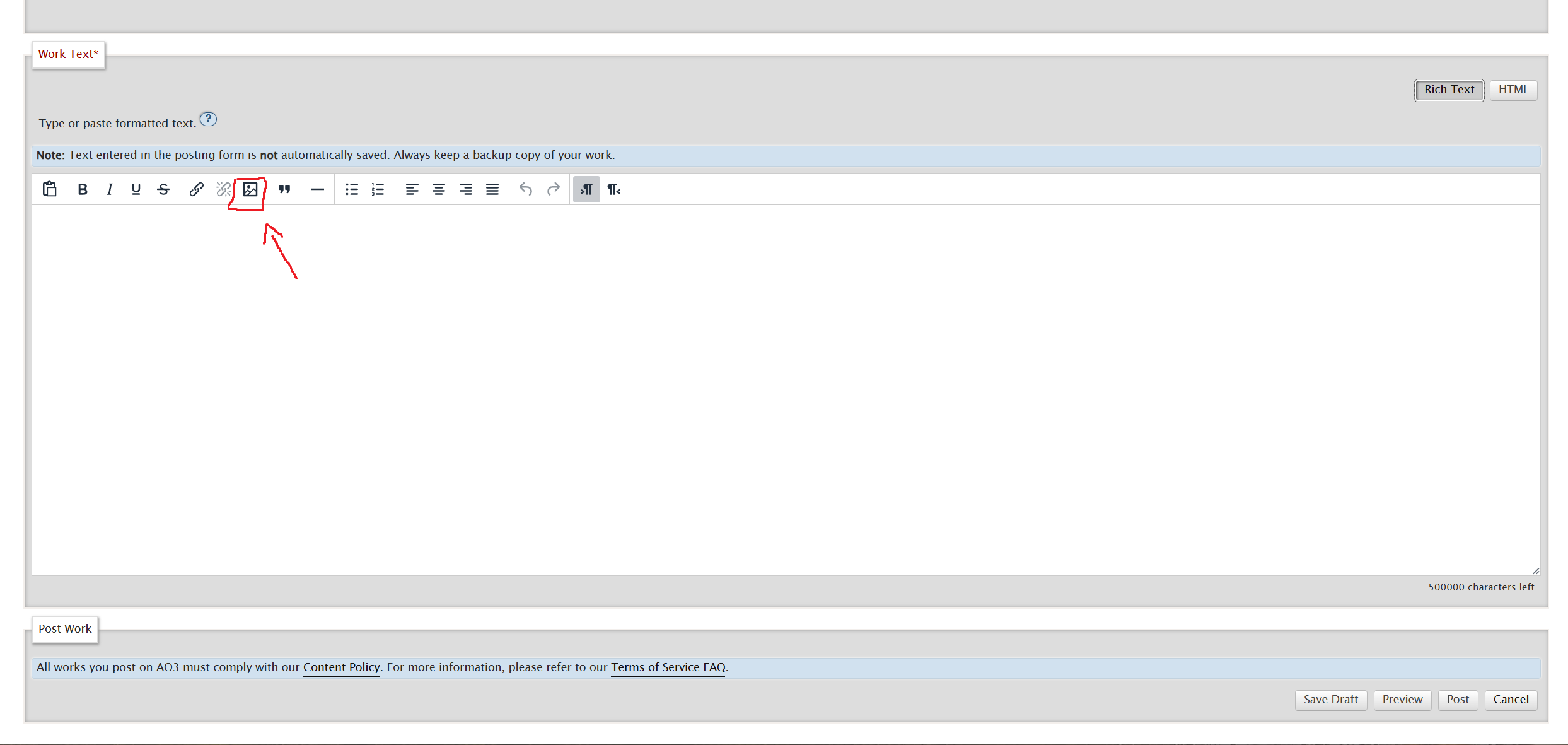
Step 2: Use Rich Text Editor to Embed the Art by clicking on the “Insert/Edit Media” button.
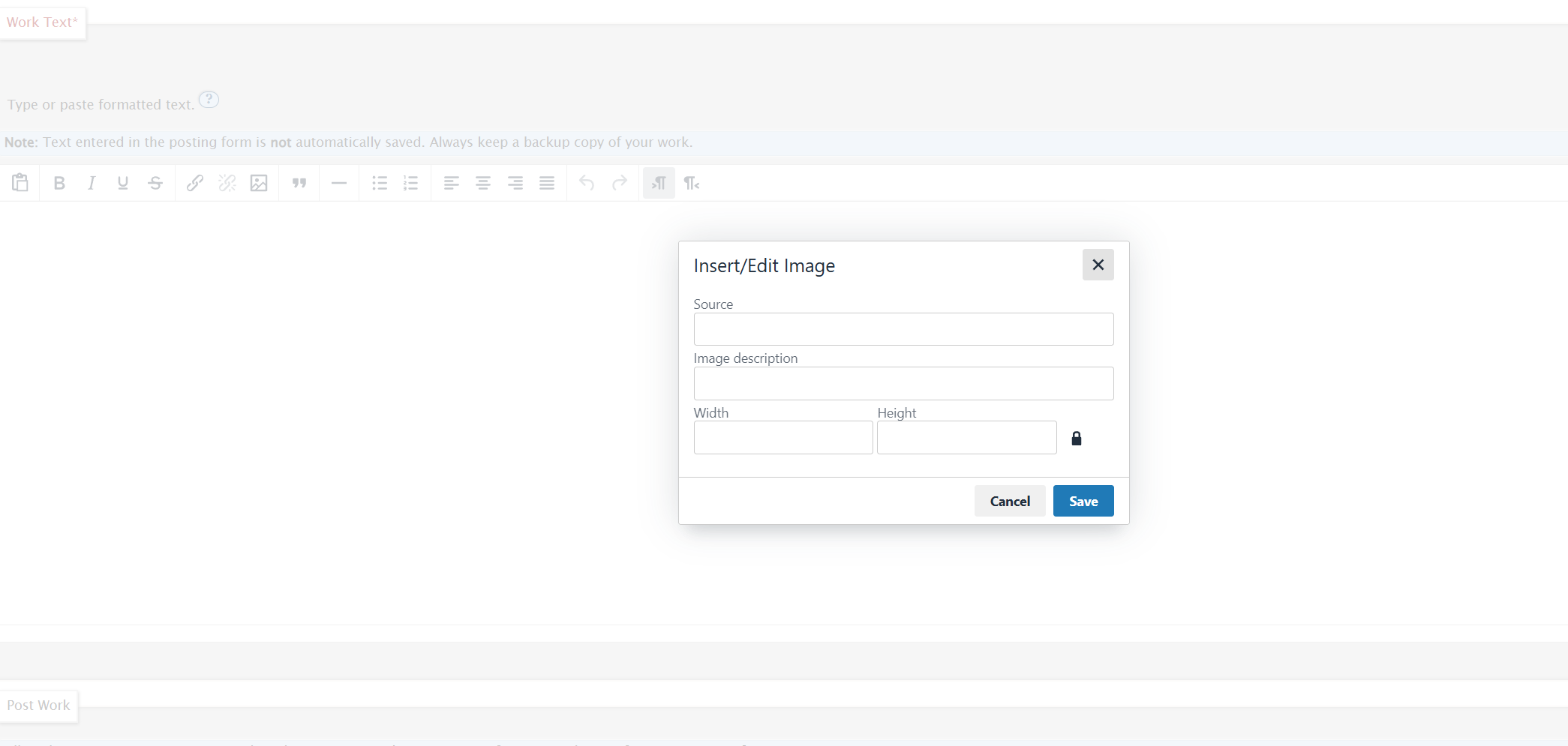
This will pop up a new box. From here, you will need to go to a new tab, open up your artist’s image where it’s being hosted.
Step 3: Make sure it is a link that ends with a .jpg or .png. For example, on Deviantart, right-click the image in the gallery and select “open image in new tab”
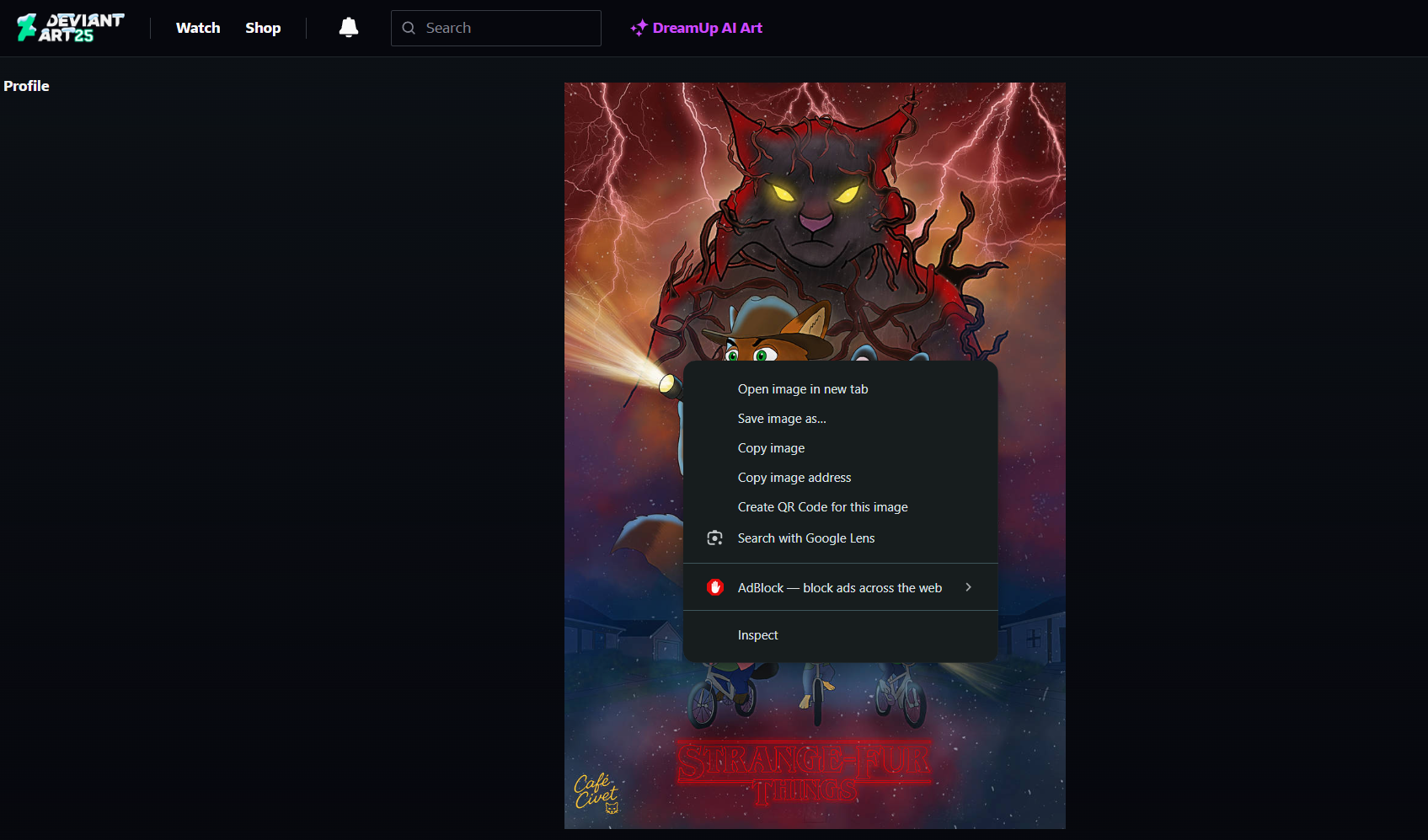
Step 4: Copy the link
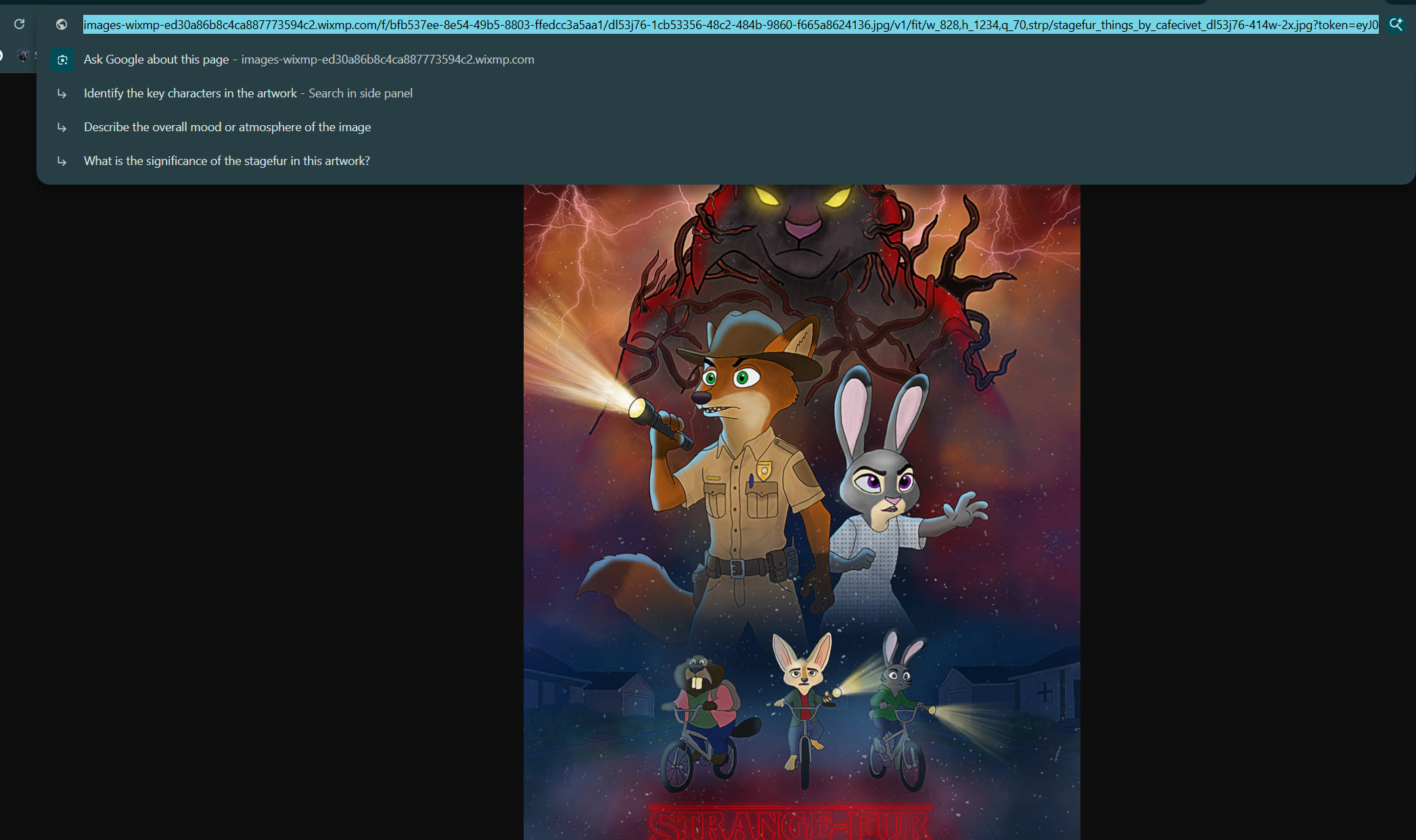
Step 5: Switch back to your Ao3 tab, and paste the link in the box
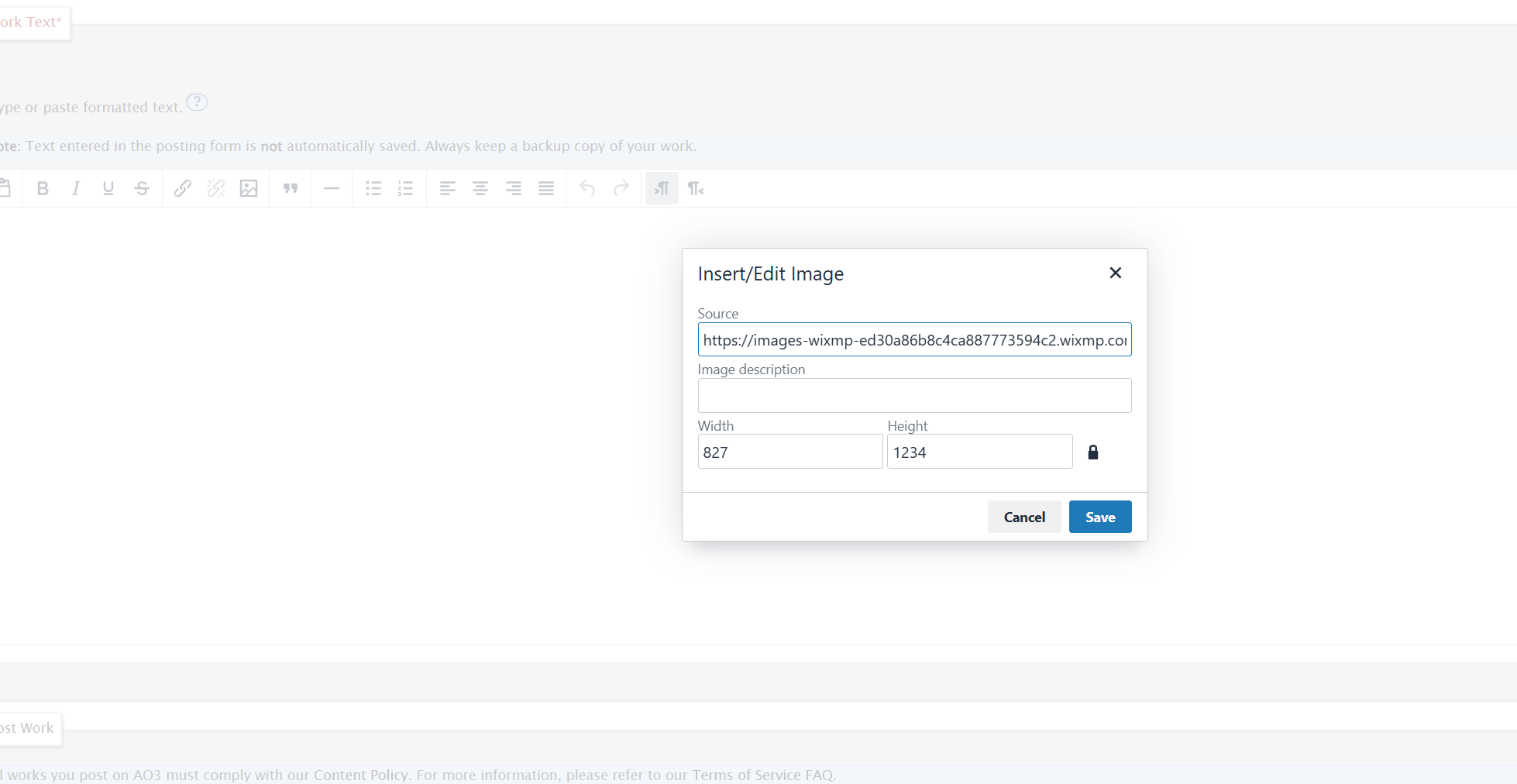
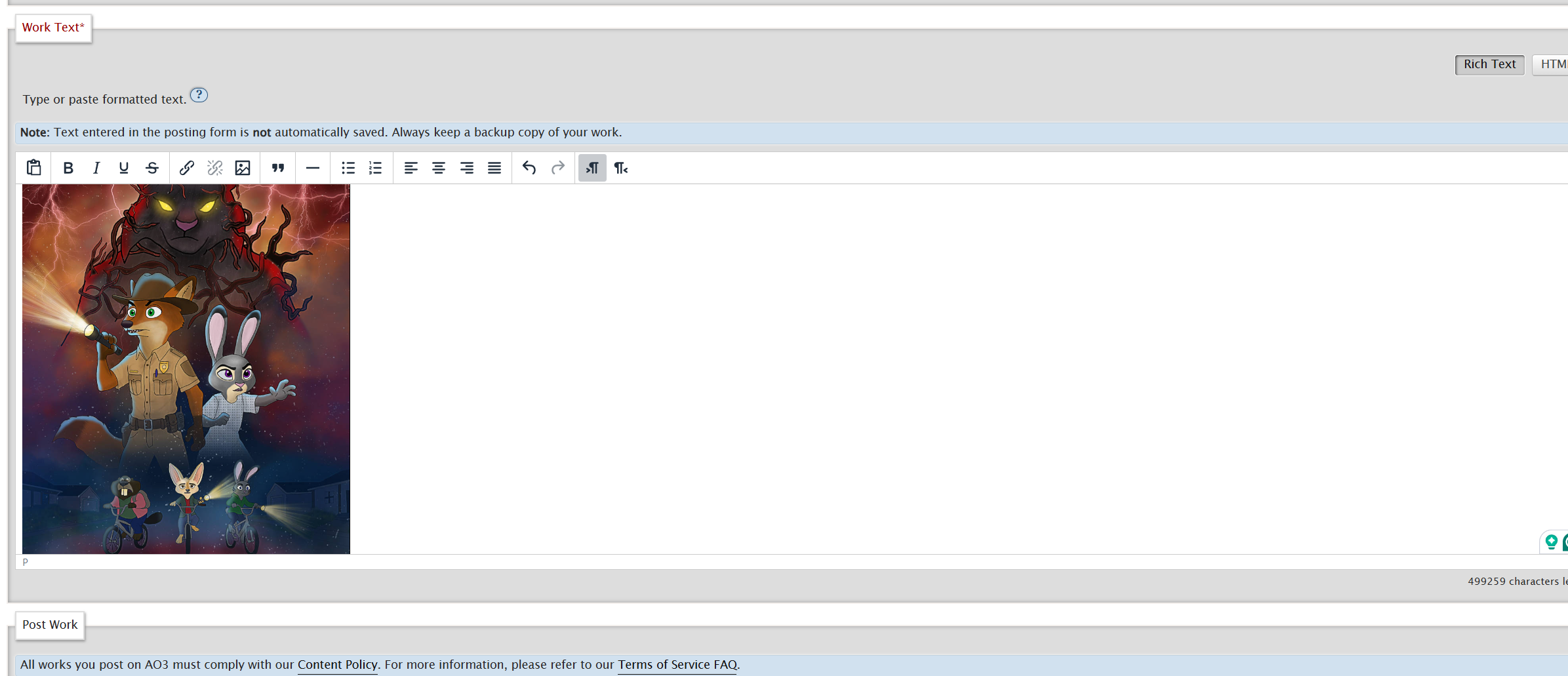
Step 6: Adjust the size of the art as needed! Add the rest of your fic, format like normal, and post!
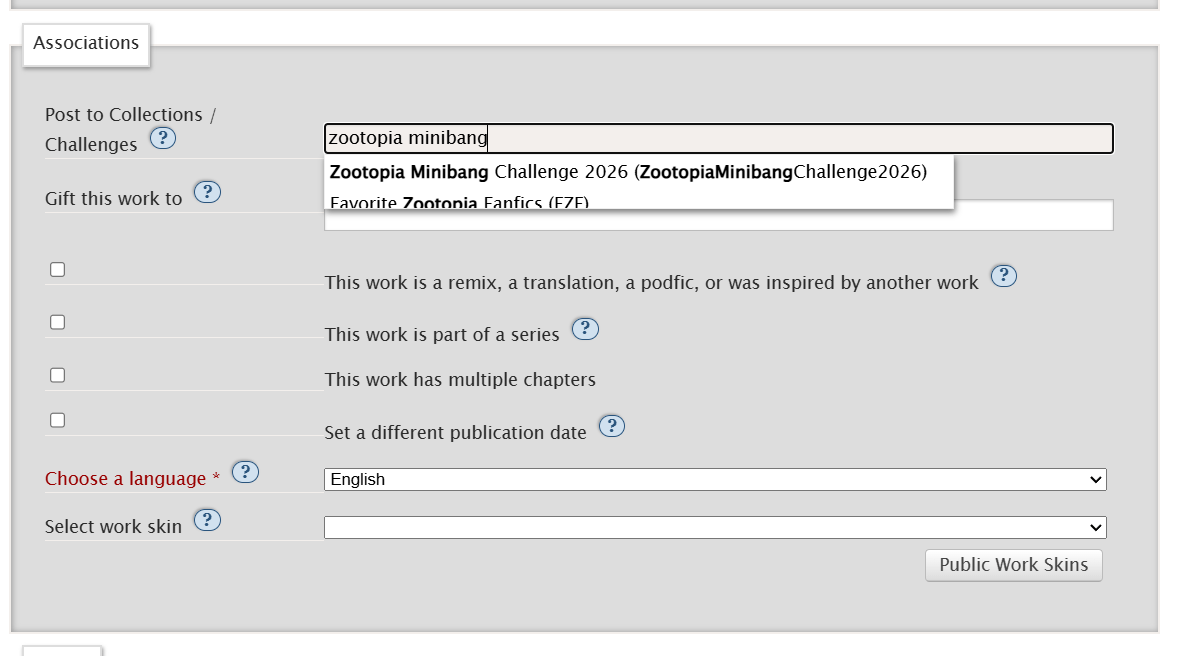
The following information will walk you through how to add your fanfiction to the Zootopia Minibang Challenge 2026 Collection on Ao3. It’s very simple. You are going to click Post New just like you normally would when posting any other fic. Everything is the same as posting a new fic, except for one additional step. Under the Associations section, the very first option is Post To Collections/Challenges. In this box, type in Zootopia Minibang, and select the Minibang 2026 option as shown in the screenshot below. Proceed with everything else as normal!
Once you’ve posted your fic you can ping myself (Atocha) and Cafe_Civet on the Minibang Channel on the Discord server, so we can approve your request to add your fic to the collection.
If you have any questions, please feel free to reach out to the mod team at [email protected].
I love that you did step by step with screenshots!